
Google Ads for Childcare Centres: Turning Clicks Into Booked Tours
A practical guide for Australian childcare and early learning centres: which searches to pay for, which to block, where to send the click, and how to measure booked tours rather than clicks.
By Bach Ly · KoalaDigital · 5 October 2026 · 9 min read
A parent searching childcare near me at nine at night is about as ready as a customer gets. They have a start date in mind, a suburb, and a short list of centres they'll call tomorrow. Google Ads can put your centre on that list. Whether it ends in a booked tour depends on three things most centres never look at: which searches you pay for, where the click lands, and whether you can see which ads brought tours.
This guide walks through all three, in the order we'd set them up.
1. Pay for the searches parents make, and block the ones they don't
Childcare searches split cleanly into two groups, and only one of them is a parent. The other is people looking for work in childcare, and they search with almost the same words. Left alone, a childcare campaign can spend a surprising share of its budget on educators looking for jobs.
Searches worth paying for usually combine the service with a place or an age:
- childcare / child care / daycare + your suburb
- early learning centre + your suburb
- childcare near me, early learning near me
- kindy / kindergarten / preschool + your suburb (if you run a funded program)
- long day care + your area
Searches to block (Google calls them negative keywords): jobs, careers, vacancy, hiring, salary, pay rate, award, educator, teacher jobs, Certificate III, Diploma, course, traineeship, TAFE. Add your own as you find them: the Search terms report in Google Ads shows exactly what people typed before they clicked, and it's worth reading every week for the first month.
Keep the area tight. Families choose care close to home or on the way to work. Target the suburbs you actually draw from rather than the whole city, and set the location option to people in your area, not people merely interested in it.
2. Send the click to one page with one job
Your website is your centre's online home, and it should keep doing what it does: the philosophy, the curriculum, the newsletters, the careers page, the parent portal. All of that is useful to families who are exploring.
A paid click is different. You know what that parent just searched, and you paid for the visit. A page built for exploring gives them many ways to wander off; a page built for the ad gives them one path.

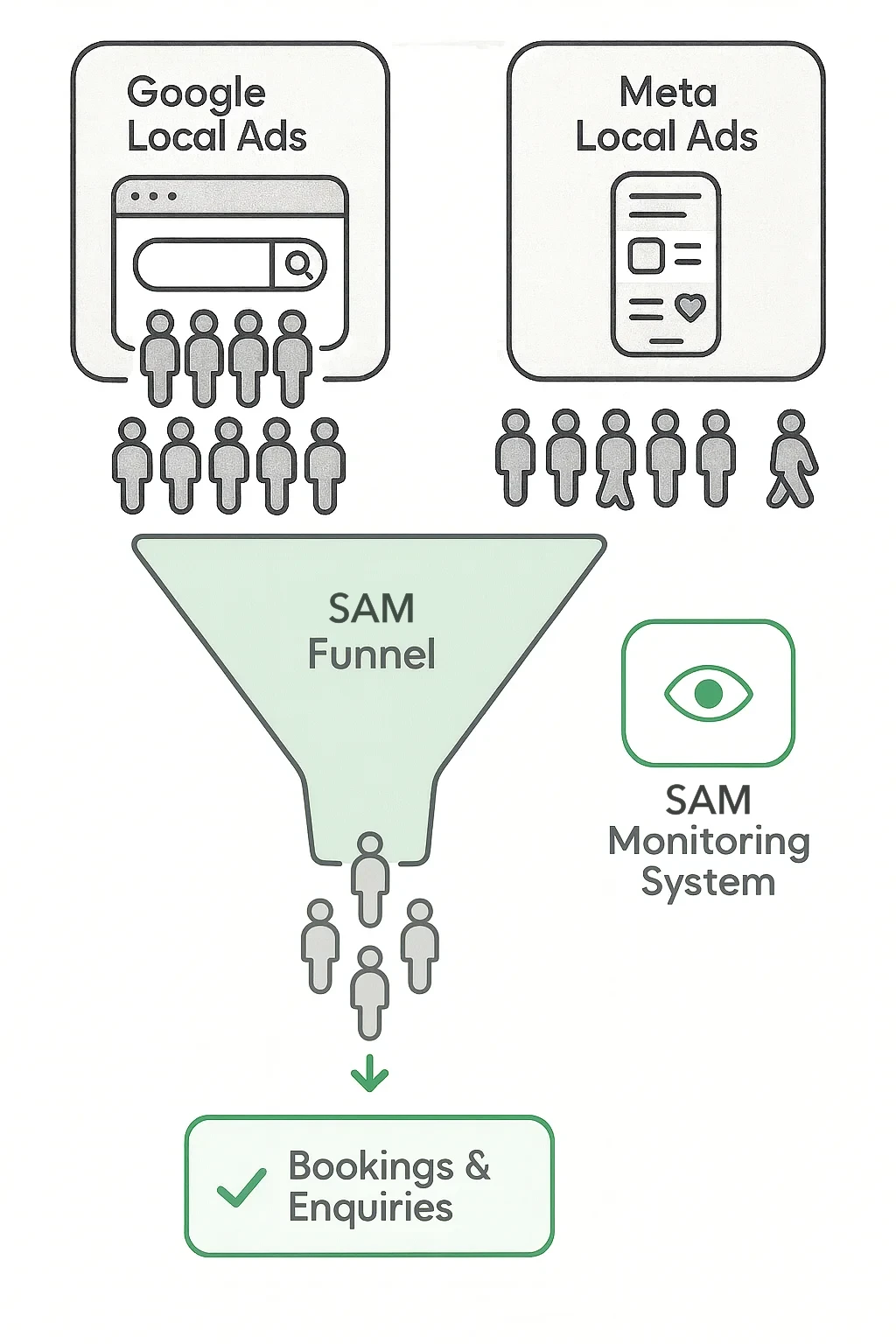
We call that page a SAM Funnel. For a childcare centre, it answers the questions a parent has in the first minute, in roughly the order they have them:
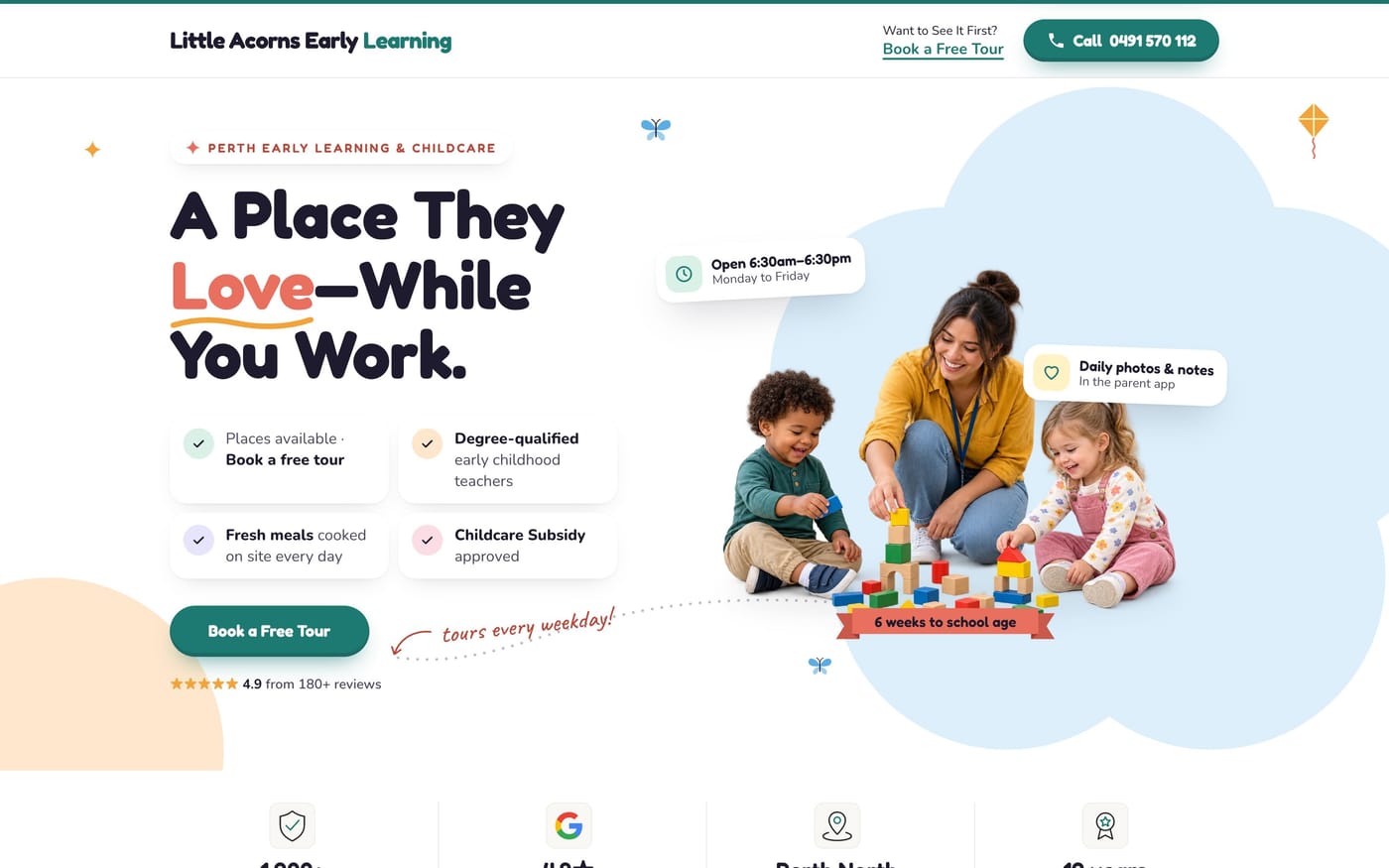
- Is this near me, and for my child's age? Your suburb and age groups in the first line, not halfway down.
- Why this centre? One clear reason, in a parent's words: qualified educators who know every child's name, meals cooked on site, daily photos in the parent app. Whatever is genuinely true of you.
- The facts parents check: opening hours, ages, Child Care Subsidy, your National Quality Standard rating (parents can look it up on Starting Blocks, so show it proudly if it's good).
- Proof from other families: real Google reviews, quoted word for word.
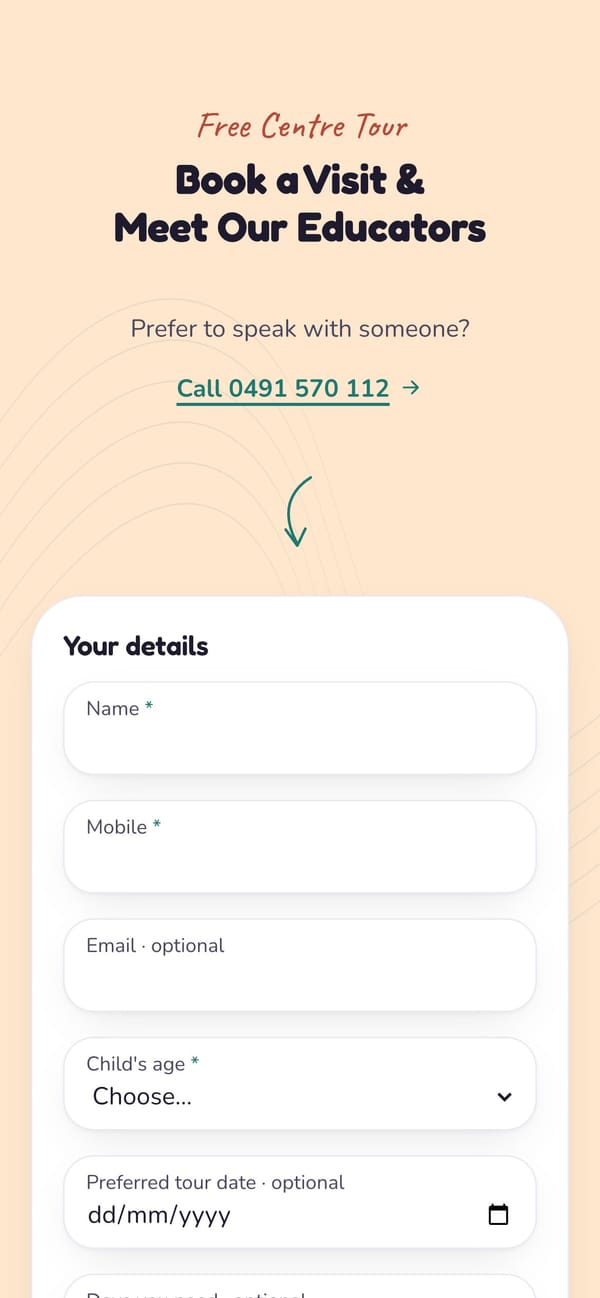
- One action: book a tour. A short form (name, mobile, child's age, preferred days) and a phone number that can be tapped.
Here's what that looks like for a sample centre:
Most of those clicks happen on a phone
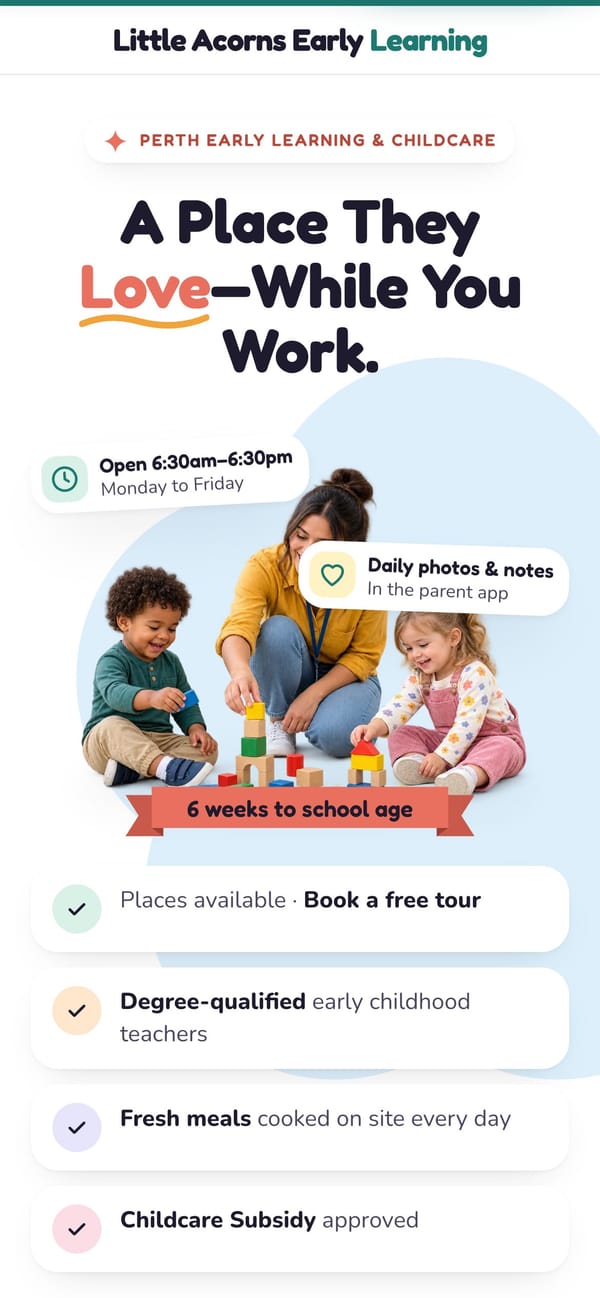
Check your own analytics, but expect most paid childcare visits to arrive on a phone, often in the evening. So the page should be designed for the phone first: the promise and the tour button visible without scrolling, a form that's quick to fill with a thumb, and nothing that has to be pinched to read.
3. Measure booked tours, not clicks
Clicks are what Google charges for. Booked tours are what keeps your rooms full. The two only line up if every tour request, and every call from the page, is recorded with the ad that brought it.
- Count the tour form as a conversion in Google Ads, so Google learns which searches lead to tours rather than just visits.
- Count calls too. Many parents would rather ring. A tap-to-call number on the page can be tracked the same way.
- Keep one list of every enquiry with its source: which ad, which search, which day. That list is what tells you, a month in, which searches to spend more on and which to stop.
With that in place, each month becomes a short tune-up: pause the searches that brought no tours, add the phrases parents actually used, and adjust the page where people are leaving. That monthly rhythm is where most of the improvement comes from.
4. Add Facebook and Instagram for parents who aren't searching yet
Google catches parents at the moment they search. Meta ads reach nearby parents before they start, which suits open days, a new room opening, or an enrolment push for next year. Send both to the same focused page so you can compare them on the one thing that matters: booked tours.
A simple checklist
- Ads targeted to the suburbs your families actually come from
- Job-seeker searches blocked from day one, and the search terms report read weekly
- One page for the ads: suburb and ages first, one reason, the facts, real reviews, one tour form
- Designed for the phone first; tap-to-call works
- Every tour request and call recorded with the ad that brought it
- A tune-up every month based on booked tours, not clicks
Questions centre owners ask
How much should a childcare centre spend on Google Ads?
Start with what one new enrolment is worth to you over the time a family usually stays, then decide how much of that you'd happily spend to win it. Most centres start small, often $10 to $20 a day, measure booked tours for a month, then adjust. The budget matters less than where the clicks go and whether you can see which ones became tours.
Should I send Google Ads traffic to my website's homepage?
Usually not. A homepage has many jobs: careers, curriculum, policies, news, the parent portal. A parent who clicked an ad for childcare near them is best served by one page with one job: show them why your centre, answer the questions they have right now, and make booking a tour easy. Your website stays as it is for everyone else.
Do Google Ads work for childcare centres in Australia?
They can, because parents search with clear intent ("childcare near me", "early learning centre" plus a suburb) at the moment they need a place. They work best when the ads are tightly local, job-seeker searches are blocked, and every booked tour is traced back to the ad that brought it.
What should a childcare landing page include?
Your suburb and age groups in the first line, a clear reason to choose you, the facts parents check (hours, ages, meals, Child Care Subsidy, your National Quality Standard rating), real reviews, photos of your actual rooms and people, and one simple tour-booking form that works on a phone.
Should I also run Facebook and Instagram ads?
Often, yes. Google catches parents who are already searching. Meta (Facebook and Instagram) reaches nearby parents who aren't searching yet, which suits open days, new rooms and enrolment drives. Point both at the same focused page so you can compare them fairly.
About the author. Bach Ly is a software engineer with 17+ years building websites and applications for teams at Cochlear, CommSec, Pepper Money and ResMed, and now builds SAM Engines for local businesses through KoalaDigital. More about Bach.