
01
At a glance
Fantasy Art is clearly loved: 622 five-star Google reviews, awards, real photos and prices on the page. The website shows that off well. What gets in the way is small and fixable: there is no phone number anywhere on the site, the Book Online form may not be loading, and the phone version is slower than it should be.
Google rating
5.0★
622 reviews
Speed on a phone
63
out of 100
Working well
5
things to keep
To fix
5
2 to do first
03
What's working
- ✓Reviews front and centreThe 5.0★ rating and real quotes sit right in the hero, with award badges straight underneath. Parents trust you before they scroll.
- ✓Your own work in the photosThe tiger face on the home page is your work, not a stock photo. It makes people want to book.
- ✓Prices on the pageFace Painting $260–$670 and the Entertainment Package $310–$720, by length of party. Few in this industry show prices; it saves everyone a phone call.
- ✓One clear next step“Book Online” is in the menu and on the hero photo.
- ✓Good basics for GoogleA clear page title (“Professional Face Painting | Northern Beaches & Sydney”) and a local description. Google's own checks give 100 for search basics and 96 for ease of use.
04
Your Google profile
Fantasy Art
Services
5.0
Rating
622
Reviews
A perfect 5.0 from 622 reviews is rare, and it's your strongest selling point. The profile's category shows only as the generic “Services”; choosing “Face painter” or “Children's party service” helps Google show you to parents searching for exactly that.
Open on Google Maps ↗05
Your website on a phone
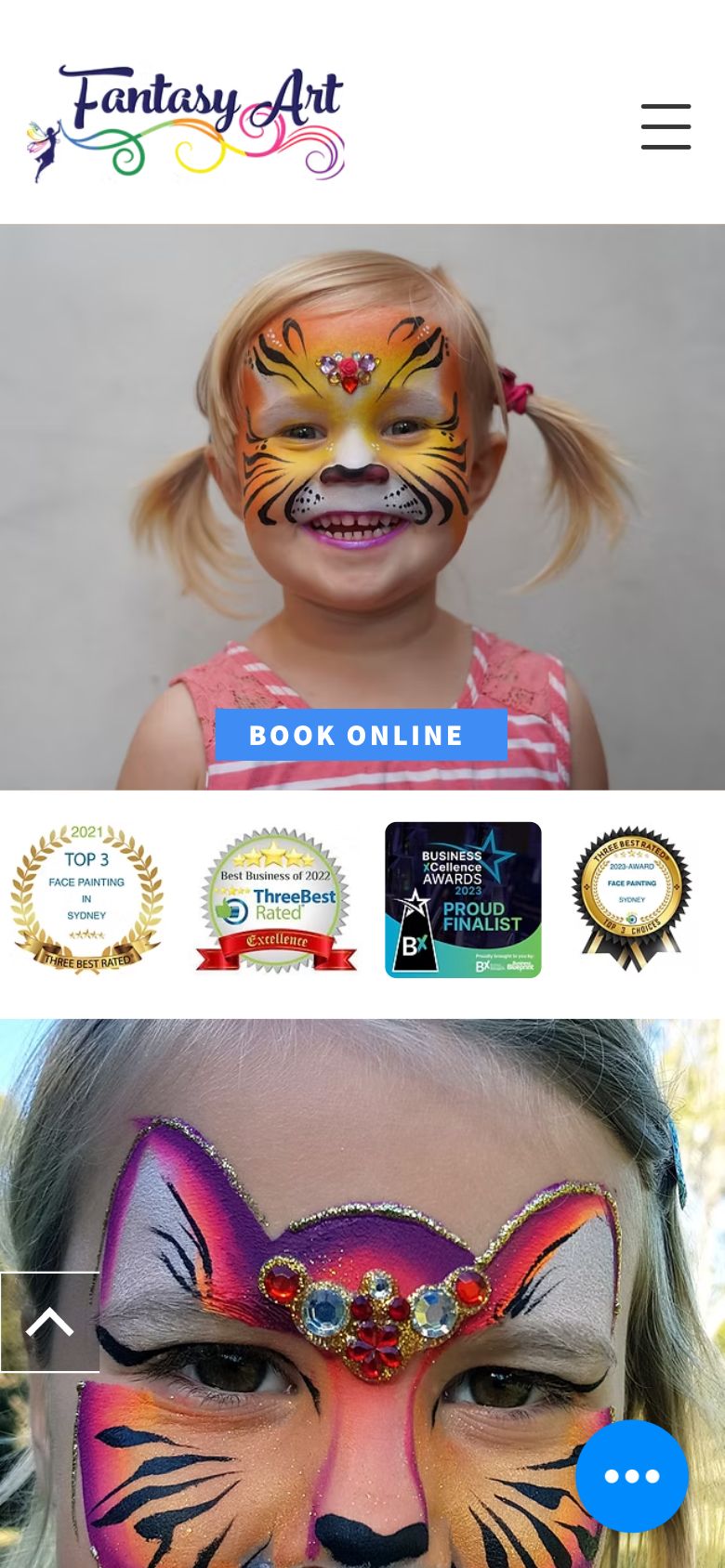
Most people will meet Fantasy Art on a phone first. Green is worth keeping; red is in the way; the numbers match the notes.
 1234
1234- 1A big “Book Online” button right on the hero photo: the next step is obvious.
- 2Award badges straight under the hero build trust fast.
- 3The header has the menu but no phone number or call button. Parents often decide on the phone.
- 4The Wix chat bubble sits over the content.
 1234
1234- 1Book Online, near the top.
- 2A typo in the heading: “FANATASY ART TEAM”.
- 3A short, four-field contact form. Good.
- 4On phones the ABN in the footer becomes a tap-to-call link, and the real phone number isn't on the page at all.
 12
12- 1Logo and menu load quickly.
- 2The booking form area was still blank after 15 seconds in each of our tests, on a phone and a computer. Worth checking on your own phone.
06
Your website on a computer
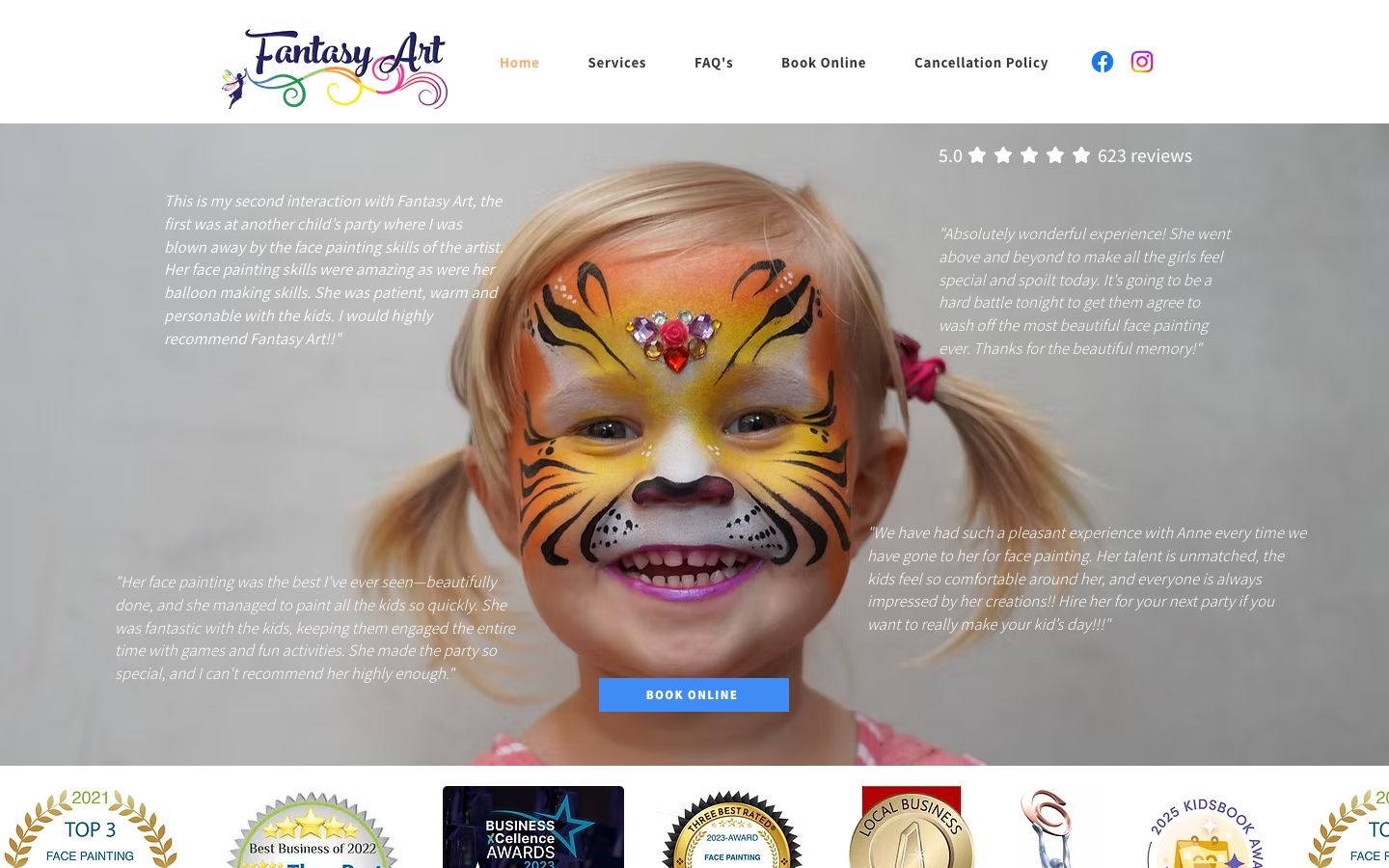 1234
1234- 15.0★ from Google reviews, front and centre.
- 2The menu has Book Online but no phone number.
- 3Thin white italic quotes over a light photo are hard to read.
- 4The Book Online button is small for such a big photo.
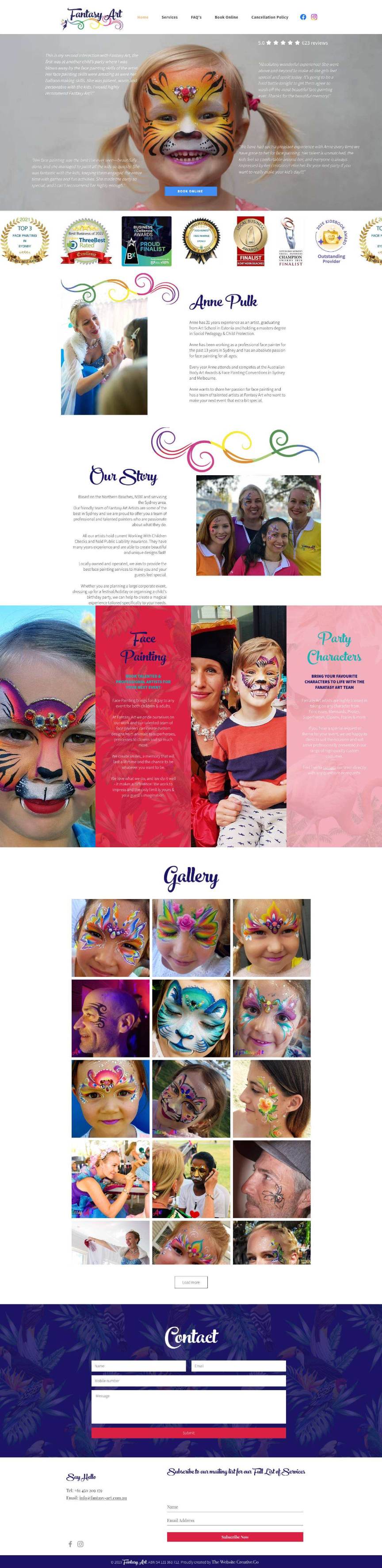 1234
1234- 1The reviews badge.
- 2The same “FANATASY” typo.
- 3The contact form.
- 4© 2019 in the footer makes a busy business look quiet.
07
Speed
On a phone the main photo takes about 5½ seconds to appear, and the page loads 250 files. Most of the extra weight is add-ons (the reviews widget alone is 260 KB of code), not your photos. Everything else Google checks scores in the high 90s.
📱 On a phone
- Main content shows
- 5.5 s
- Page weight
- 3.3 MB
- Waiting to respond
- 0.25 s
- Layout jumps
- 0.00
💻 On a computer
- Main content shows
- 5.0 s
- Page weight
- 3.4 MB
- Waiting to respond
- 0.01 s
- Layout jumps
- 0.00
Lighthouse 12.8, the engine behind Google PageSpeed Insights, two runs on each device, 21 September 2026. Scores move a little from test to test.
08
What to fix first
1.Put your phone number on the websiteDo first
Google lists 0450 209 179 but the website never shows it, and on phones the ABN turns into a call link instead. Add “Call or text 0450 209 179” to the header and footer as a tap-to-call link, and stop the ABN being linked.
2.Check the Book Online page on your own phoneDo first
It's the main button on the site, but the booking form stayed blank for 15+ seconds in every test we ran. The form itself exists, so it may be how it's embedded. If you see the same, link straight to the form or switch to Wix's own form, so no booking is lost at the last step.
3.Speed up the phone versionDo soon
A speed score of 63 on phones. Remove the Wix apps and widgets you don't use, and move the reviews widget below the first screen. The photos can stay.
4.Give pages proper namesDo soon
Addresses like /copy-of-face-painting-3 and a home page with no main heading make it harder for Google to tell your packages apart. Rename them (/face-painting, /balloon-twisting, /pamper-party) and add a heading such as “Face Painting for Kids' Parties, Northern Beaches & Sydney”.
5.Small polishDo later
Fix “FANATASY”, update © 2019 (or make it automatic), and put the hero quotes on a soft dark band so they're easy to read.
09
Your to-do list
- Add “Call or text 0450 209 179” to the header and footer, tap-to-callDo first
- Open /booking on your own phone and check the form appearsDo first
- Remove unused Wix apps; move the reviews widget lowerDo soon
- Rename the /copy-of-… page addresses, with redirectsDo soon
- Choose a specific Google category, e.g. “Face painter”Do soon
- Fix “FANATASY” and the © 2019 footerDo later
- Keep the reviews, awards and prices exactly where they areKeep

Bach Ly, KoalaDigital
Web engineer, 20 years · bach@koaladigital.com.au