01
At a glance
Candy Castle 2U has everything a parent wants to see: 521 five-star reviews, five years of award finalist badges, bright photos of the real equipment and a price on every package. The site just makes parents work too hard to reach it: the home page is about 20 phone screens long, the phone number is at the very bottom and can't be tapped, and the page is heavy enough to take 9 seconds on a phone.
Google rating
5.0★
521 reviews
Speed on a phone
53
out of 100
Working well
5
things to keep
To fix
6
2 to do first
03
What's working
- ✓Five years of awardsLocal Business Awards finalist every year from 2021 to 2026, shown in the hero. Strong, independent proof.
- ✓The most colourful brand aroundThe candy-striped castle logo and the photos of your actual equipment say “kids' party” in a second.
- ✓A price on every packageFrom $220 for the Mini Marshmallow castle (4 hours) to $1,200 for the Jawdropper (all day), right in the booking form.
- ✓Details parents needSizes and capacity for each castle (“up to 20 children, 3.0 m × 5.0 m × 2.0 m”), plus Working with Children checks and First Aid.
- ✓Fresh photos without effortYour Instagram feed is on the home page, so the site always shows recent parties.
04
Your Google profile
Candy Castle 2U
Services · service area business
5.0
Rating
521
Reviews
521 reviews at a perfect 5.0. That's exceptional, yet none of them appear on the website. The category shows only as the generic “Services”; “Party equipment rental service” or “Bouncy castle hire” would match what parents type.
Open on Google Maps ↗05
Your website on a phone
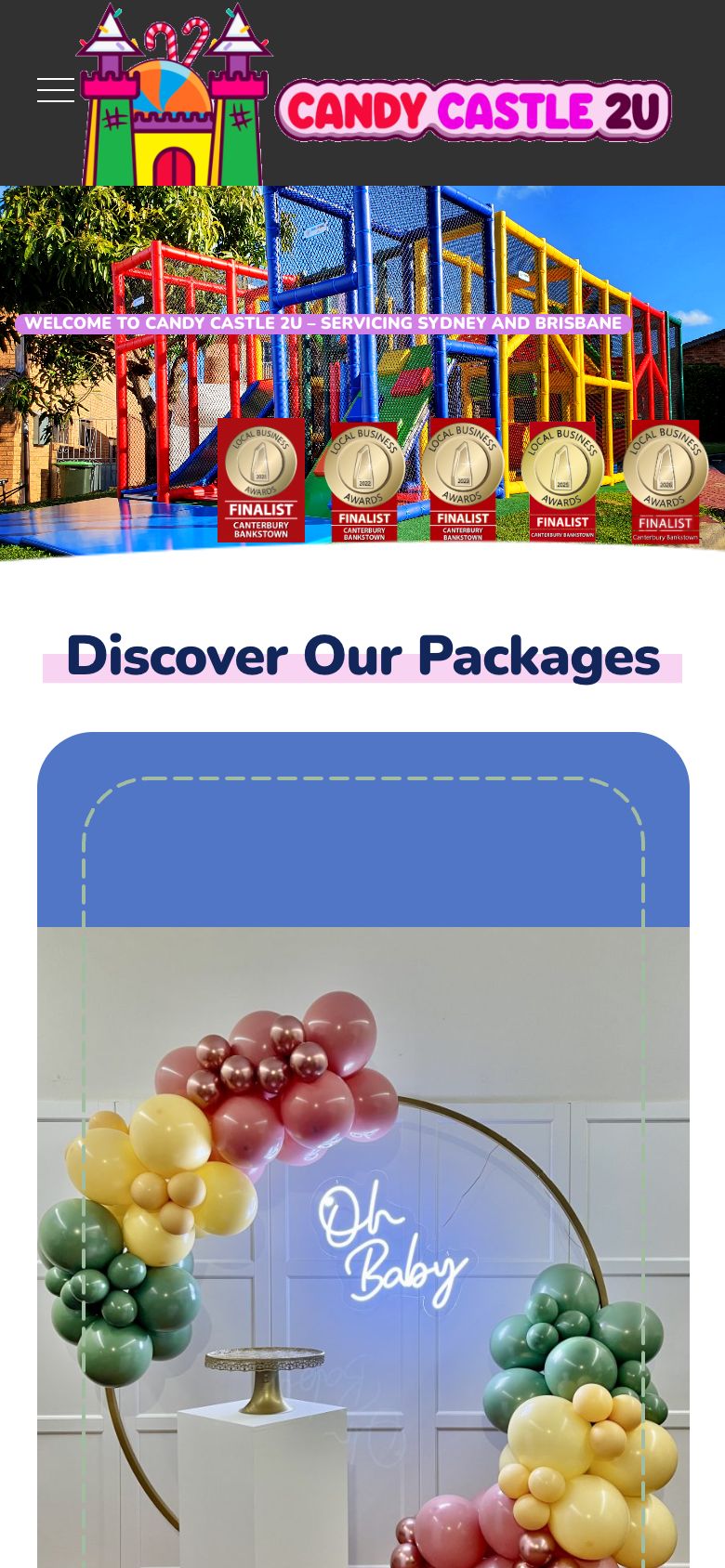
Most people will meet Candy Castle 2U on a phone first. Green is worth keeping; red is in the way; the numbers match the notes.
 1234
1234- 1A fun, bright logo that instantly says kids' party.
- 2Five years of award finalist badges.
- 3The welcome line mentions Sydney & Brisbane, but there's no button or phone number on this first screen.
- 4The header has only a menu: no call or book button.
 123
123- 1“Discover Our Packages”: each package is a full-screen card.
- 2Bright, real photos of the actual equipment.
- 3This is only the first third. The page keeps going to 17,051 pixels; the phone number is about 20 screens down.
 1234
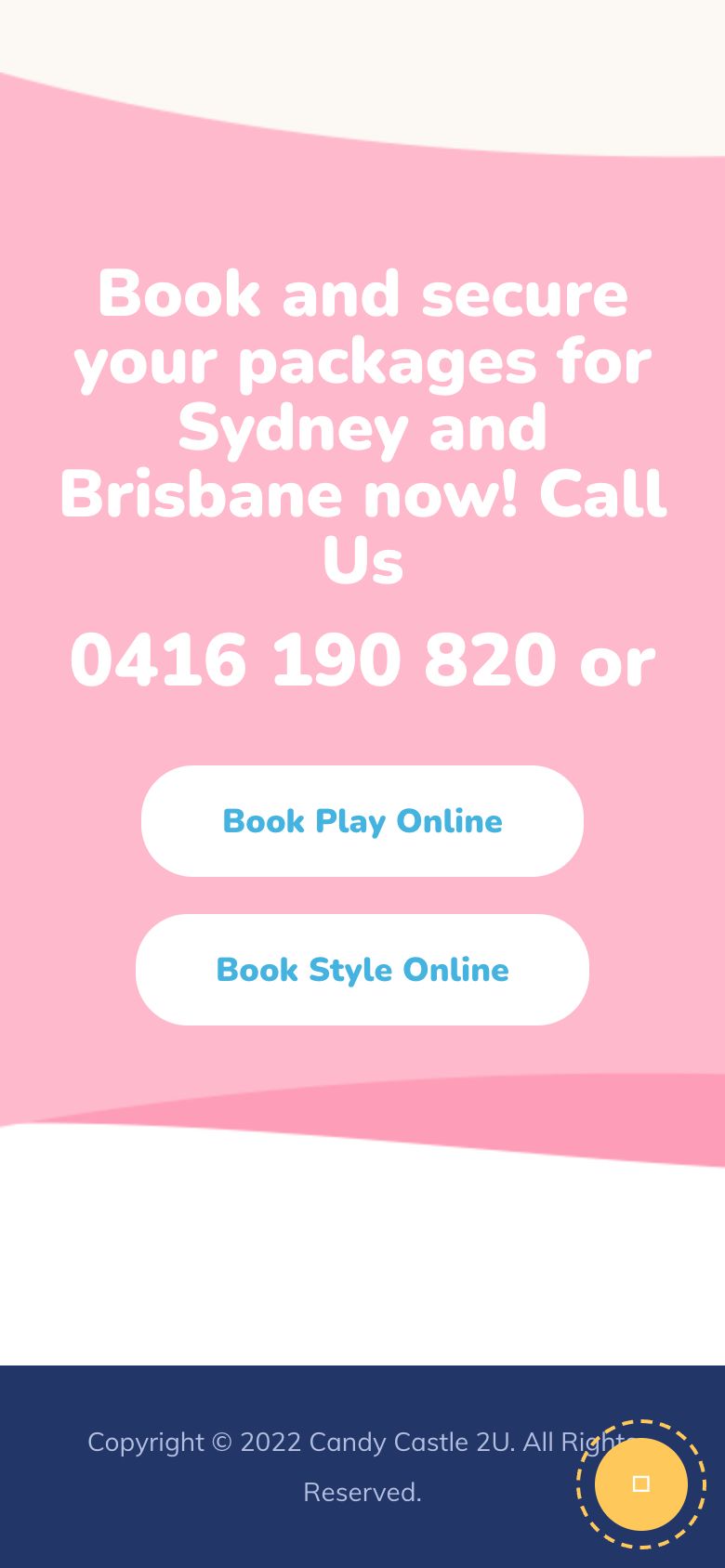
1234- 1The phone number is a heading, not a tap-to-call link.
- 2“Book Play Online” is clear, but only at the very bottom.
- 3© 2022 in the footer.
- 4The back-to-top icon shows as an empty box.
 1
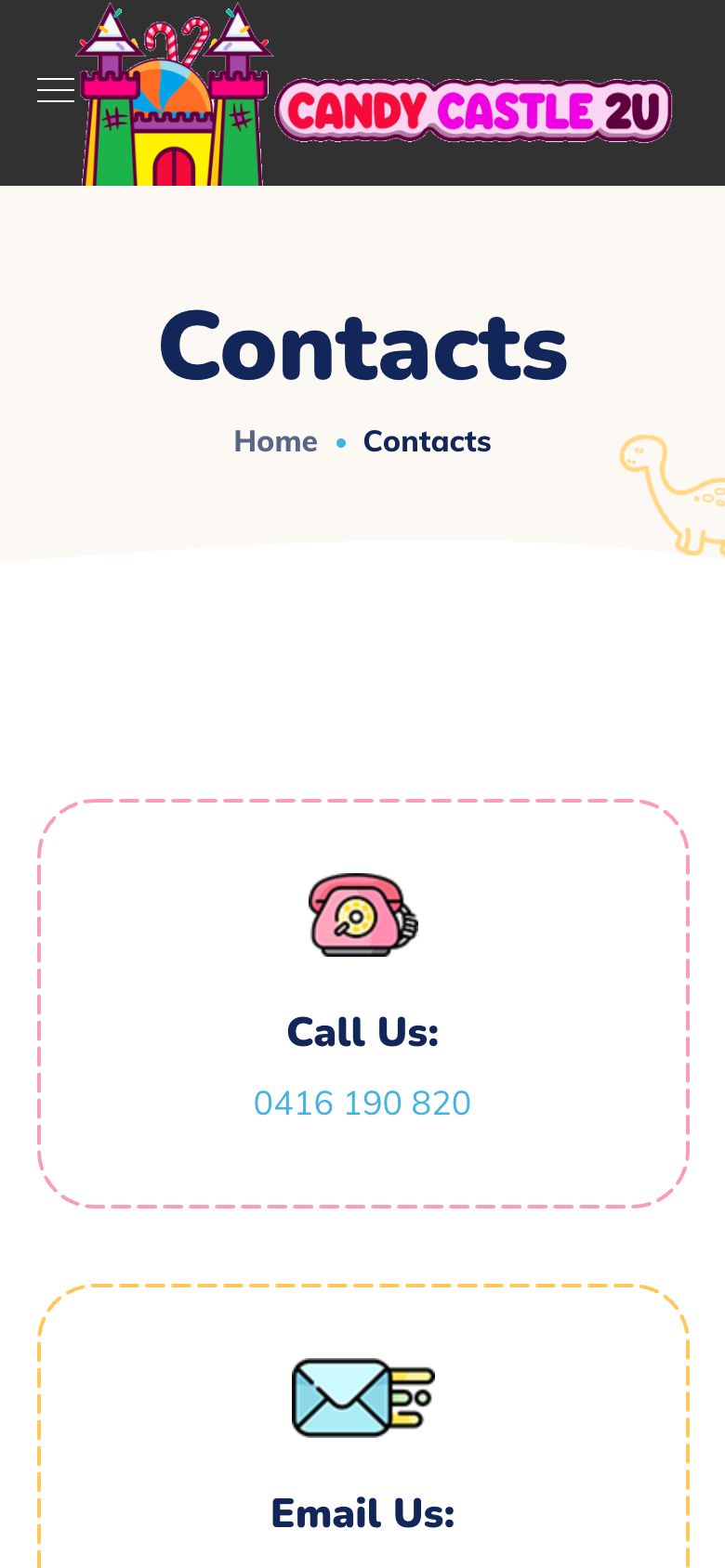
1- 1Tap-to-call works here. Copy it into the header of every page.
06
Your website on a computer
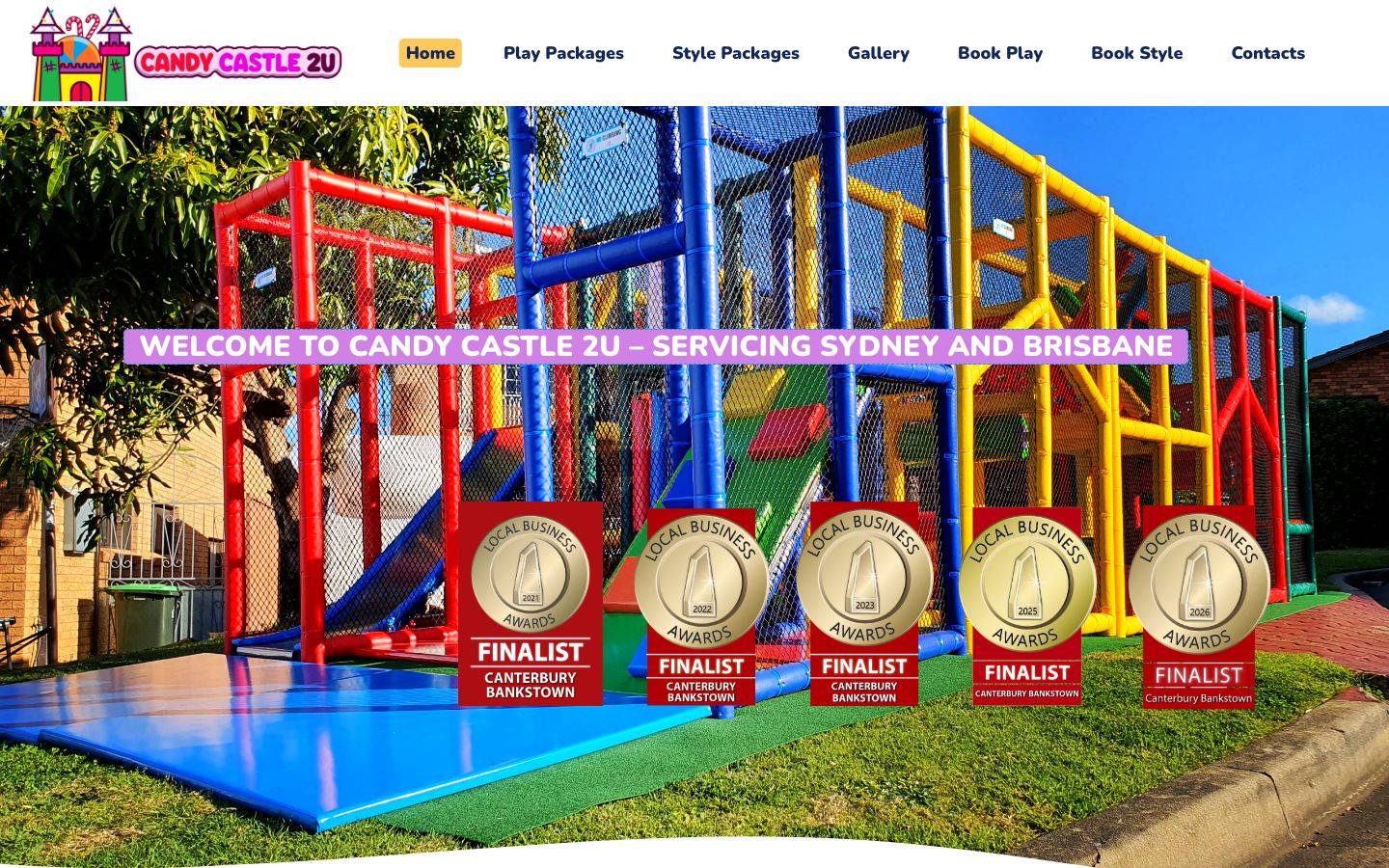 1234
1234- 1The colourful logo.
- 2“Book Play” and “Book Style” in the menu. Good.
- 3No phone number in the header.
- 4The award badges cover the hero photo.
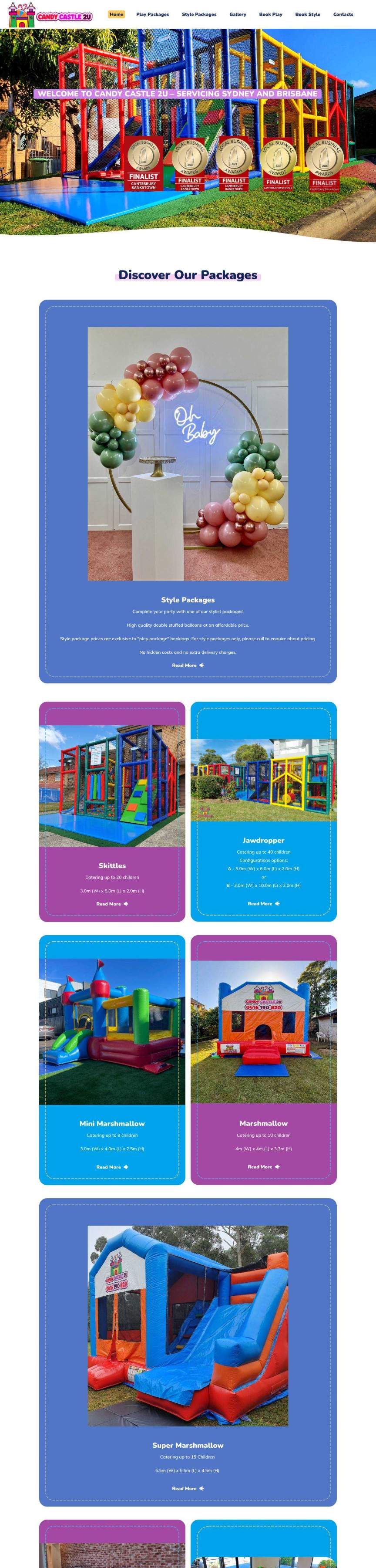 12
12- 1The hero with awards.
- 2The page keeps going to 14,207 pixels; the phone number is at about 13,700.
07
Speed
On a computer the home page downloads about 15 MB, as much as a short video. Six images alone add up to over 10 MB (the cover image is 2.7 MB). On a phone the main content takes about 9 seconds to appear. Compressing those images is the single biggest win on this site.
📱 On a phone
- Main content shows
- 9.1 s
- Page weight
- 6.6 MB
- Waiting to respond
- 0.19 s
- Layout jumps
- 0.03
💻 On a computer
- Main content shows
- 7.7 s
- Page weight
- 15 MB
- Waiting to respond
- 0.00 s
- Layout jumps
- 0.07
Lighthouse 12.8, the engine behind Google PageSpeed Insights, two runs on each device, 30 September 2026. Scores move a little from test to test.
08
What to fix first
1.Make the page much lighterDo first
Compress the images and convert them to WebP (a plugin such as ShortPixel or Imagify does it for you), upload them at the size they're shown, and turn on page caching. The six biggest images alone are over 10 MB.
2.A Call and Book bar on phonesDo first
Add a bar that stays at the bottom of the screen with “Call 0416 190 820” and “Book now”, and make every phone number a tap-to-call link. Today it's about 20 screens down and can't be tapped.
3.Shorten the home page on phonesDo soon
Show the packages as a compact grid or a swipe row, with “from $220” on each card and a link to the full page. Parents should reach prices and contact details in two or three screens, not twenty.
4.Show some of your 521 five-star reviewsDo soon
Three to five short Google reviews near the top, with a link to your profile. It's your strongest selling point and it isn't on the site.
5.Update WordPress and the basics for GoogleDo soon
The site runs WordPress 5.8 from 2021. Update it (after a backup), add a main heading like “Mobile Soft Play & Jumping Castle Hire, Sydney & Brisbane”, add descriptions to photos, and let people pinch to zoom.
6.Let parents see free datesDo later
The form asks parents to “contact us regarding available dates”, so every booking needs a back-and-forth. An availability calendar, or a quick “Check a date” form, saves both sides time.
09
Your to-do list
- Compress the six biggest images (together over 10 MB)Do first
- Make 0416 190 820 a tap-to-call link everywhere, and add it to the headerDo first
- Add 3 Google reviews near the top of the home pageDo soon
- Packages as a compact grid on phones, with “from” pricesDo soon
- Update WordPress, add a main heading, allow pinch-zoomDo soon
- Update © 2022 and fix the back-to-top iconDo later
- Keep the awards, prices and the Instagram feedKeep

Bach Ly, KoalaDigital
Web engineer, 20 years · bach@koaladigital.com.au